
Client and connection configuration
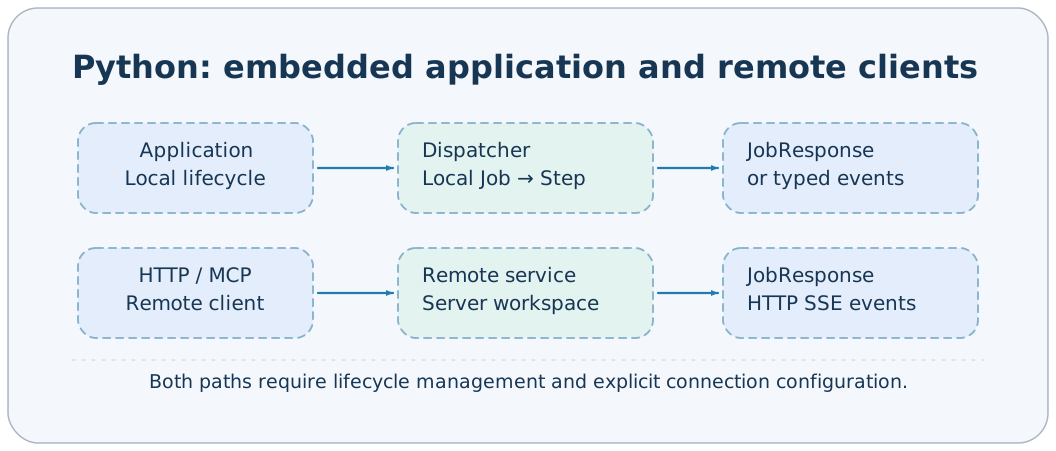
Client configuration determines which service to connect to, how to authenticate, and how long to wait. It is separate from ApplicationConfig: clients do not install plugins, start TaskManager, or read server-side environments. The same target also follows different paths in CLI direct connections and Studio forwarding.
ClientOptions
| Field | Type | Default | Meaning |
|---|---|---|---|
| target | string/null | null | Explicit connection address; null uses discovery rules |
| timeout | Positive float | 60.0 | HTTP/MCP request wait budget |
| token | Nonempty string/null | null | Protocol Bearer token |
| stream | boolean | false | CLI uses the event endpoint |
| stream_format | blocks/json | blocks | CLI event display format |
ClientOptions is a strict, frozen model that prohibits extra fields. Pass actual numeric and boolean values in Python; do not pass stream="true". The CLI first performs natural-value conversion and maps --client-timeout to timeout. HttpClient/McpClient constructors accept only connection-related values; callers choose consumption methods for stream and stream_format.
Address rules
127.0.0.1:1024              → http://127.0.0.1:1024
https://node-b:443/         → https://node-b:443
http://[::1]:1024           → http://[::1]:1024
Every address must provide a port; https://node-b fails without an explicit port. Credentials, query, fragment, and non-root paths are prohibited. Do not include /mcp in target; McpClient appends it automatically.
When target is not explicitly supplied, the following are used in order:
- AXONX_SERVICE_TARGET published by the service process.
- The default http://127.0.0.1:1024.
When the service binds to 0.0.0.0, it publishes the client-accessible 127.0.0.1. This environment variable is in-process discovery information, rather than a remote-machine registry. Invalid addresses are logged and fall back to the default address.
CLI token sources
axonx version --token your-service-token
axonx version --target node-b:1024 --token your-target-token
When --token is omitted, the CLI loads .env without overriding existing environment variables, then uses:
| Scenario | Environment variable used |
|---|---|
| No explicit --target | AXONX_SERVICE_TOKEN |
| Explicit --target | AXONX_TARGET_TOKEN |
An explicit target selects AXONX_TARGET_TOKEN even when it points to the local machine. Do not assume direct connections automatically extract credentials from ApplicationConfig.targets.
axonx wait_task --task-id 'base#demo#example' \
  --run-id your-returned-run-id --client-timeout 600
axonx stream_task --task-id 'base#demo#example' \
  --stream true --stream-format json --client-timeout 600
timeout is a client timeout; wait_task has no corresponding task-timeout field. A client timeout or exit does not cancel the background Task; call cancel explicitly when needed.
Explicit Python connections
import asyncio
import os
from axonx.components.client import HttpClient

async def main():
    async with HttpClient(
        target="node-b:1024",
        token=os.environ["AXONX_TARGET_TOKEN"],
        timeout=120.0,
    ) as client:
        response = await client.run_job("version", {})
        print(response.model_dump(mode="json"))

asyncio.run(main())
Python BaseClient does not read AXONX_SERVICE_TOKEN/AXONX_TARGET_TOKEN for automatic credentials; pass token explicitly. It uses environment discovery rules only for target. Enter async with or explicitly call start/close.
Studio same-origin forwarding
The browser requests the current same-origin /jobs and stores the local token in local-machine settings. After a remote machine is selected, JobInvocation's top-level target points to a configured address. The local backend matches targets and sends a remote request using that target's token.
# Target settings in server-side app.yaml
extends: default
targets:
  - address: node-b:1024
token: ${NODE_B_TOKEN}{
"arguments": {},
"target": "http://node-b:1024"
}This example is for the local /jobs/machine_status. Local and remote 401 responses indicate different failures: check the browser's saved local token for the former and the backend targets token for the latter. An unconfigured address returns 422; this cannot be used to proxy arbitrary network requests.
Worker handoff variables
TaskManager writes AXONX_TASK_WORKSPACE_DIR, AXONX_TASK_LOG_DIR, AXONX_TASK_TIMEZONE, AXONX_TASK_ID, AXONX_TASK_RUN_ID, and AXONX_TASK_CREATED_AT into subprocess environments so workers and submitters share identity and paths.
These are internal framework execution-handoff fields. Ordinary users should control tasks through workspace_dir/log_dir/timezone configuration and submit inputs, rather than manually fabricating run_id or created_at to create executions. Migrating a workspace does not restore its original worker.
Handling connection failures
health() maps connection failures, protocol rejection, or invalid health responses to false. run_job() may instead raise RemoteServiceError, whose status_code is populated on HTTP rejection. JobResponse.success=false is a business failure and usually does not become that exception.
For further troubleshooting, see Authentication, Remote machines, and Operations.
Implementation references: components/client/base.py, cli/main.py, utils/target.py, components/service/http/app.py.