
Built-in Agent Usage
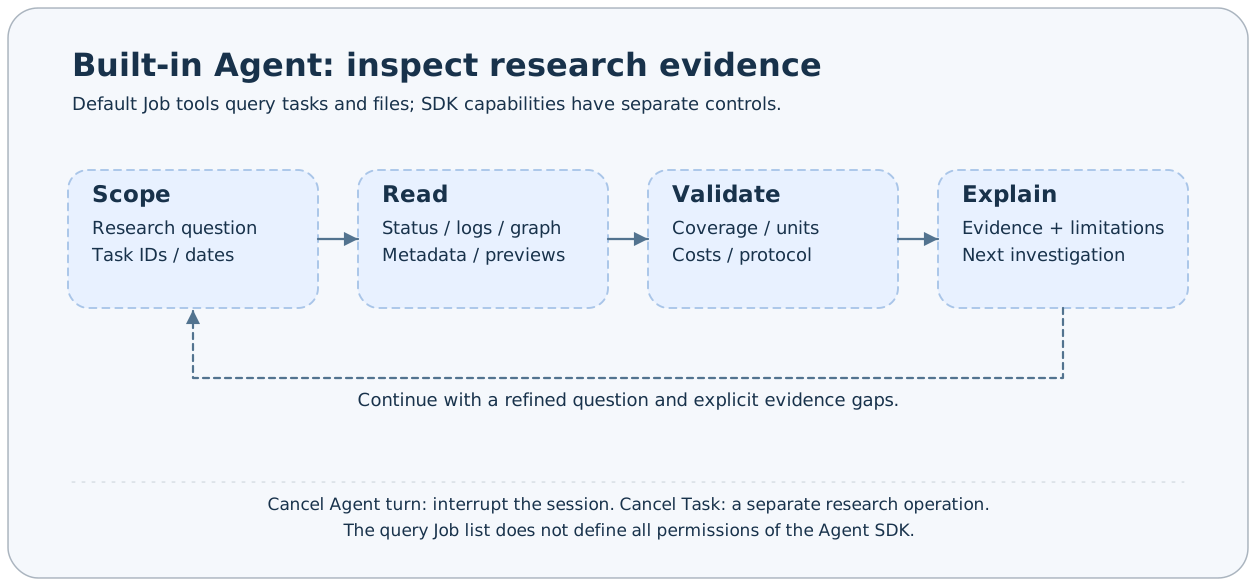
AxonX Agent connects workspace query tools to the Claude backend, using sessions to troubleshoot tasks and analyze research results. Default Job tools mainly read tasks, logs, relationships, and files; model conclusions must still be grounded in actual tool results.
This page covers built-in Studio sessions. For external hosts such as Codex or Claude Code, see external agents; see the integration overview for prerequisites of each path.
Before you start
- Configure a service token and start an available backend.
- Prepare Claude backend credentials, URL, and model settings on the service machine; see Agent configuration.
- Set the local token in Studio, select a machine, and open the Agent page.
- First confirm that the tasks or research artifacts are in the selected machine's workspace.
Ordinary tasks do not require Agent calls. Agent calls require an additional model environment and an accessible backend. Without model credentials, you can still inspect records directly through the task page and CLI.
Starting an analysis
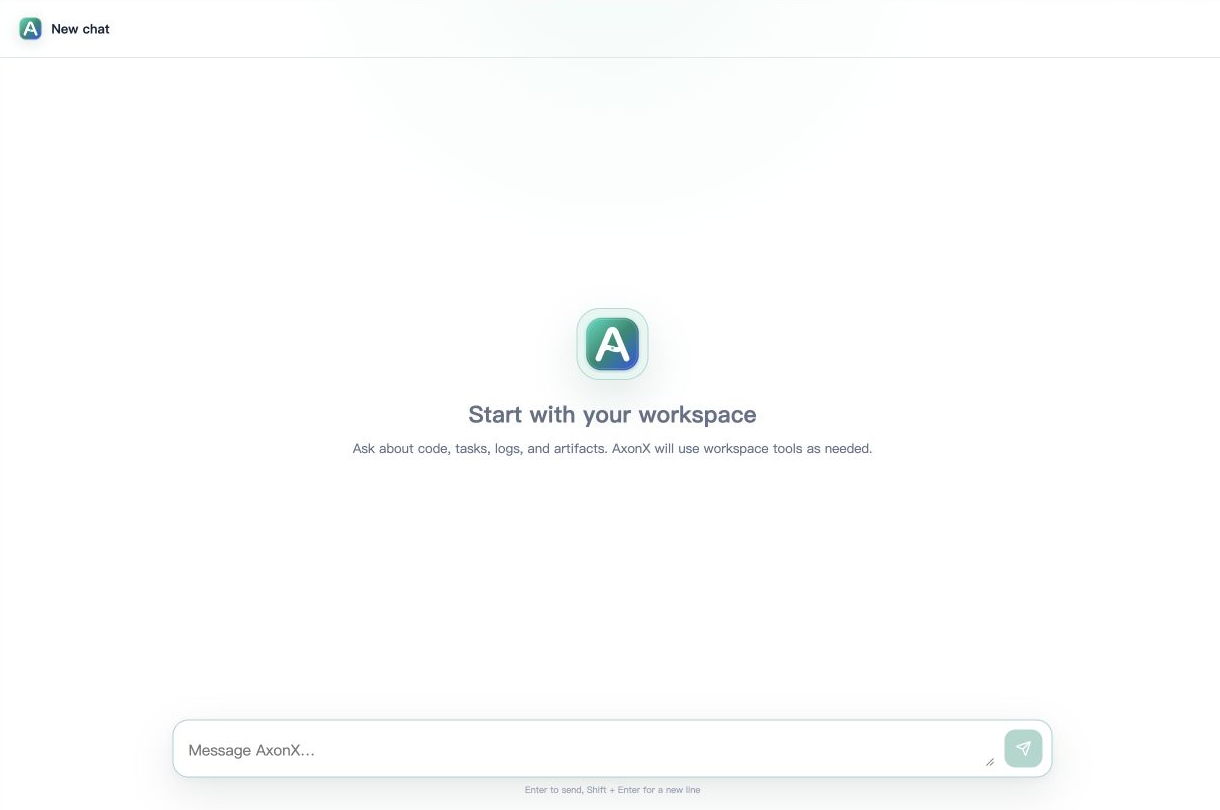
Enter a question in New chat under Agent. Press Enter to send or Shift+Enter for a newline. The screenshot only shows an empty new session; no model request has been sent and no private history is shown.
Provide a specific Task ID, question, and observation scope. Example prompts:
Check the status, tail logs, and upstream relationships of Task <task_id>.
Distinguish submission failure, execution failure, and missing artifacts,
and suggest evidence-based next steps.Compare the protocols, dates, and cost settings of Backtest Tasks <A> and <B>.
Confirm their common window first, then explain why net returns and summary tables may differ.
Do not treat top30_holdings as the actual position ledger.Default tools include list_entries, preview_file, list_task_ids, list_task_statuses, status, read_task_log, get_task_graph, and get_task_context. The Agent obtains actual information before composing its response.
Avoid asking only to “analyze the latest strategy” without a machine or task scope. If multiple results exist, the model may select a different experiment; ask it to list candidate tasks for your confirmation first.
Reading streamed messages
Studio displays text, thinking, and tool blocks, updating them from incremental events. Tool inputs and outputs show what the Agent queried; the final text explains how it interprets the evidence.
- When status is queued/running, the result is incomplete.
- Task success does not guarantee that all research conclusions are reliable; continue checking protocols and samples.
- When a tool fails, the model should identify the data gap explicitly; it must not treat unavailable file contents as facts.
- Only the final
resultrepresents the terminal state of this Job turn; a completed connection does not replace the business success field.
Message blocks are UI representations projected from SDK messages. Do not treat thinking content as a research artifact. For reproducible conclusions, retain actual Task IDs, parameters, artifacts, and calculation definitions.
Resuming and managing sessions
The backend generates a UUID for a new session, and subsequent messages use the same session_id. Local service session storage keeps history, titles, and tags. Studio can open history, rename sessions, set tags, fork, or delete them; see the Agent API for specific interfaces.
Forking creates a new session identity to explore different questions from existing context. It does not copy research Task directories or rerun the research chain. Running sessions cannot be deleted.
Sessions are saved in the current service's configured directory. Switching machines switches the environment containing queries and sessions. Task snapshot synchronization does not automatically migrate Agent history.
CLI and HTTP calls
axonx --stream true agent_chat \
  --message 'List workspace tasks, read their actual status first, then summarize.'
To continue a session, use the UUID returned by the backend:
axonx --stream true agent_chat \
  --session-id '<returned UUID>' \
  --message 'Continue checking the tail logs of the task that failed earlier.'
Put HTTP request parameters in arguments:
curl -N 'http://127.0.0.1:1024/jobs/agent_chat/events' \
  -H "Authorization: Bearer $AXONX_SERVICE_TOKEN" \
  -H 'Content-Type: application/json' \
  -d '{"arguments":{"message":"Read actual task status first, then explain existing workspace results."}}'
Ordinary /jobs/agent_chat calls return a folded JobResponse; /events returns incremental SSE events. Model calls may take time, so set a reasonable client timeout for the connection method.
Stopping turns and cancelling tasks
Stopping in the Agent UI, or calling cancel_agent_turn, interrupts the current SDK session turn:
axonx cancel_agent_turn --session-id '<running UUID>'This does not automatically cancel independent research Tasks submitted through other tools or operations. Use the cancel Job to cancel a research task:
axonx cancel --task-id '<research Task ID to cancel>'Session history remains usable after a turn is cancelled. Cancelling a task changes that Task's execution status. These operations are not interchangeable.
Default tools and permission boundaries
Default job_tools do not include submit, shell, installation, deletion, or task cancellation. Service administrators must explicitly configure additional Jobs to expose them.
However, the Claude SDK's own tools, project settings, plugins, and permission_mode also affect execution capabilities. The default configuration uses bypassPermissions, so the Job query list does not make the entire Agent read-only. See configuration details for permission design.
Failure checks
| Symptom | What to check |
|---|---|
| Agent Job missing from the catalog | Token, public Job settings, and component startup |
| Model connection fails | Claude environment configuration on the service machine |
| Session does not exist | Whether session_id belongs to the same machine and session store |
| Requests in the same session wait | The session's turn lock may be held |
| Tool cannot find a task | Current machine, Task ID, and workspace scope |
| Session ends but research still runs | Manage the independent Task lifecycle separately |